
ByteScout BarCode Generator 7.1.1 條碼與 QRCode 產生器
- 數字轉條碼
- qrcode 怎麼用
- barcode generator excel 2007 free
- eps barcode generator
- qr code產生器批次
- qr code generator png
- qr code流水號
- sitemap 產生器
- Free QR Creator
- 條碼 下的數字
限時免費:https://www.giveawayoftheday.com/barcode-generator-4/
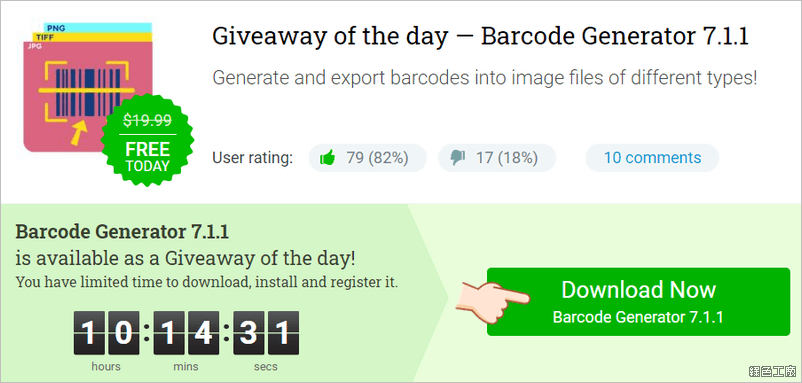 △ 進入活動頁面之後點選 Download Now BarCode Generator 就可以下載到活動的壓縮檔案,裡面包含有活動的安裝檔案與序號,或是直接到文末下載免安裝版唷!
 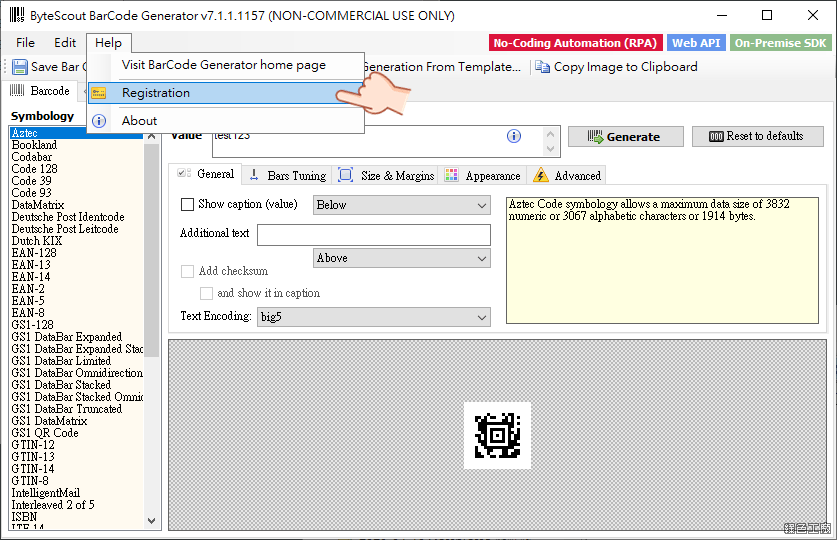 △ 開啟軟體後點選 Help > Registration 進行軟體註冊。
 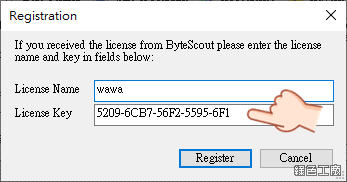 △ 名稱隨意輸入,將剛剛所取得的序號複製貼上,點選 Register 註冊即可。
 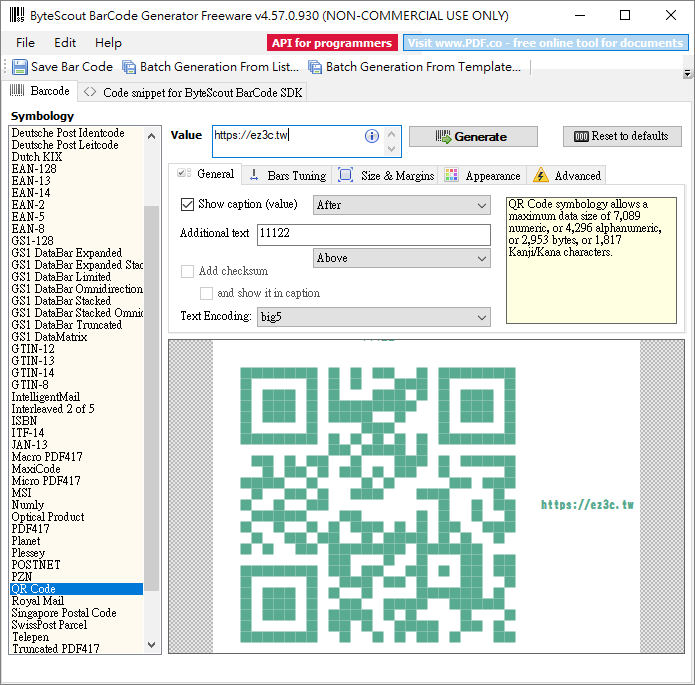 使用方式算是頗簡單的,左側為各種不同條碼的形式,右側就是設定條碼內容的地方,Value 輸入文字後 Generate 就能在下方預覽條碼內容,接著就可以調整各種進階的設定。
 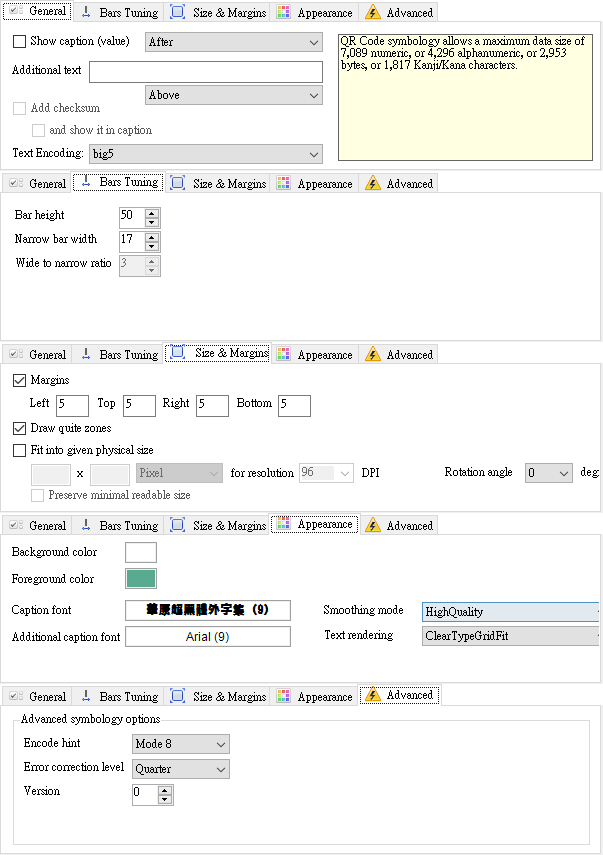 設定部分能加入條碼內容的文字、額外的文字、條碼高度、條碼大小、邊框距離、色彩、字型等等內容,基本上這已經很實用囉!https://bytescout.com/products/enduser/misc/barcodegenerator.html免安裝版:
ByteScout BarCode Generator 7.1.1.1157.7z(GOOGLE下載)
ByteScout BarCode Generator 7.1.1.1157.7z(1DRV下載)
ByteScout BarCode Generator 7.1.1.1157.7z(MEDIAFIRE下載)
ByteScout BarCode Generator 7.1.1.1157.7z(RAPIDGATOR下載)
ByteScout BarCode Generator 7.1.1.1157.7z(MEGA下載)
檔案大小:2.41 MB